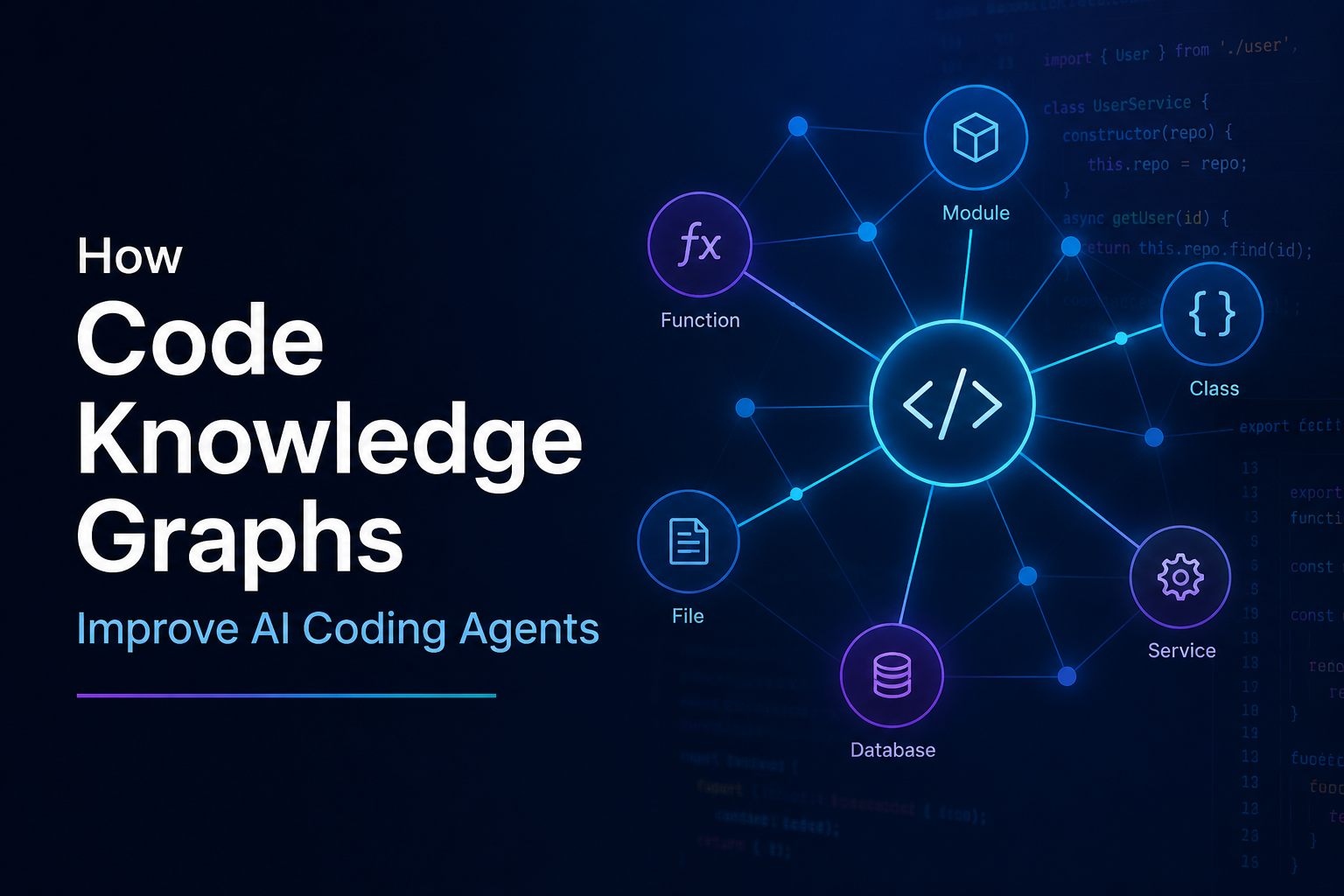
In this article I am going to discuss how code knowledge graphs improve accuracy, speed, and cost efficiency for AI coding assistants. Before jumping into implementation with tools like GitNexus and codebase-memory-mcp, both of which I have used extensively since their early days, I want to cover when to use them and when not to. Wrong tool, wrong task, and you get diminishing returns: extra index time, more MCP surface area, and noisier context.
First, some background on how knowledge graphs showed up in modern AI products and the SDLC.
Why RAG won, then why Graph RAG showed up
After the early ChatGPT wave, a lot of companies tried to figure out how to put LLMs into real products without fine tuning every week. Training or even full fine tuning on private data is expensive. Most enterprises do not need that for every use case.
RAG became the default alternative. Keep the model general. At query time, retrieve only the relevant private chunks and stuff them into the prompt. That is still a good pattern.
Then Graph RAG made the next jump: do not retrieve only similar text chunks. Retrieve connected structure.
Microsoft Research’s GraphRAG work is the cleanest public proof point. GraphRAG beat naive vector RAG on comprehensiveness and diversity with roughly a 70 to 80% win rate under LLM as judge evaluation. It also cut token cost down to about 2 to 3% of the tokens used by hierarchical source text summarization per query, while staying competitive on answer quality.
GraphRAG, when using community summaries at any level of the community hierarchy, outperforms naive RAG on comprehensiveness and diversity (~70–80% win rate).
That is the evaluation summary from Microsoft’s write up of From Local to Global: A GraphRAG Approach to Query-Focused Summarization.
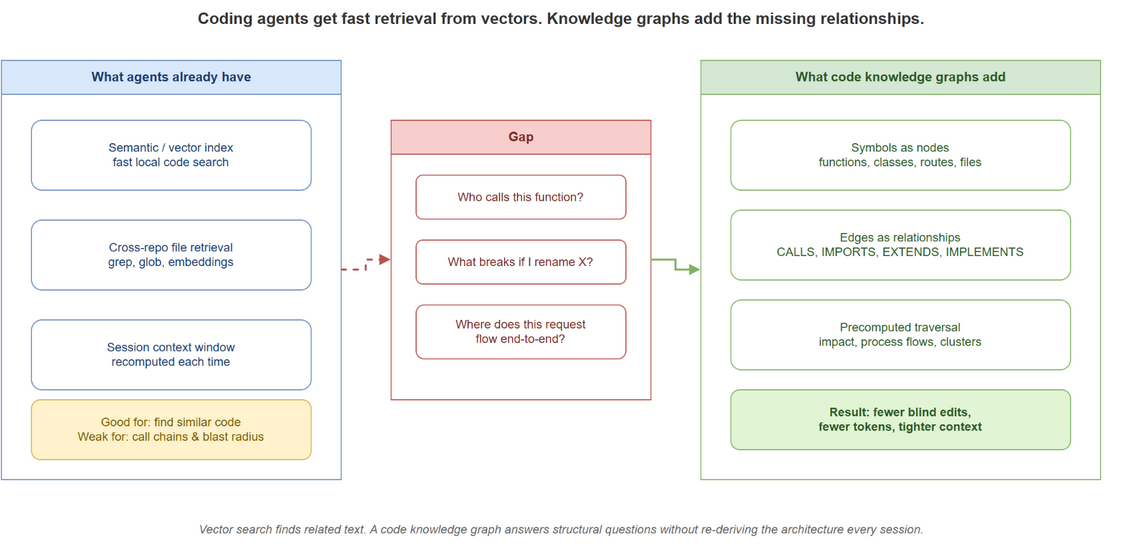
The lesson for coding agents is the same lesson for document agents: similarity search is great at “find me something that looks like this.” It is weak at “what depends on this, and what breaks if I change it.”
Why LLMs work well with graphs
As you might know, LLMs are next token predictors with a finite context window. They are surprisingly good at reasoning over structured relationships once those relationships are made explicit in the prompt. They are bad at inventing those relationships from raw file dumps.
A graph helps for three reasons:
- Multi hop questions become traversals. “Who calls
authorize(), which middleware wraps those callers, and which routes share that path?” is hard as embedding search and easy as CALLS + IMPORTS walks.
- Context packing gets denser. One impact result can replace twenty grep, read, and guess cycles. Less noise and fewer tokens.
- Cost moves from query time to index time. You pay once to build structure. Every later agent turn reuses it.
That is also why Graph RAG can improve accuracy without needing a bigger model. You are not making the LLM smarter. You are feeding it a better problem statement.
The coding agent gap
Coding agents like Cursor and Claude Code already vectorize code and keep indexes locally. That is a big reason Cursor felt fast early on: semantic search and cross repo indexing made retrieval cheap relative to dumping whole repositories into the model.
But that still leaves a critical gap. The agent knows that two files are similar. It does not automatically know how each class, function, attribute, or route is related. So it re derives call chains, inheritance, and import graphs every session through expensive tool loops. Sometimes it gets them right. Sometimes it edits one call site and misses three others.
That is the hole code knowledge graph tools fill.
Enter GitNexus and codebase-memory-mcp
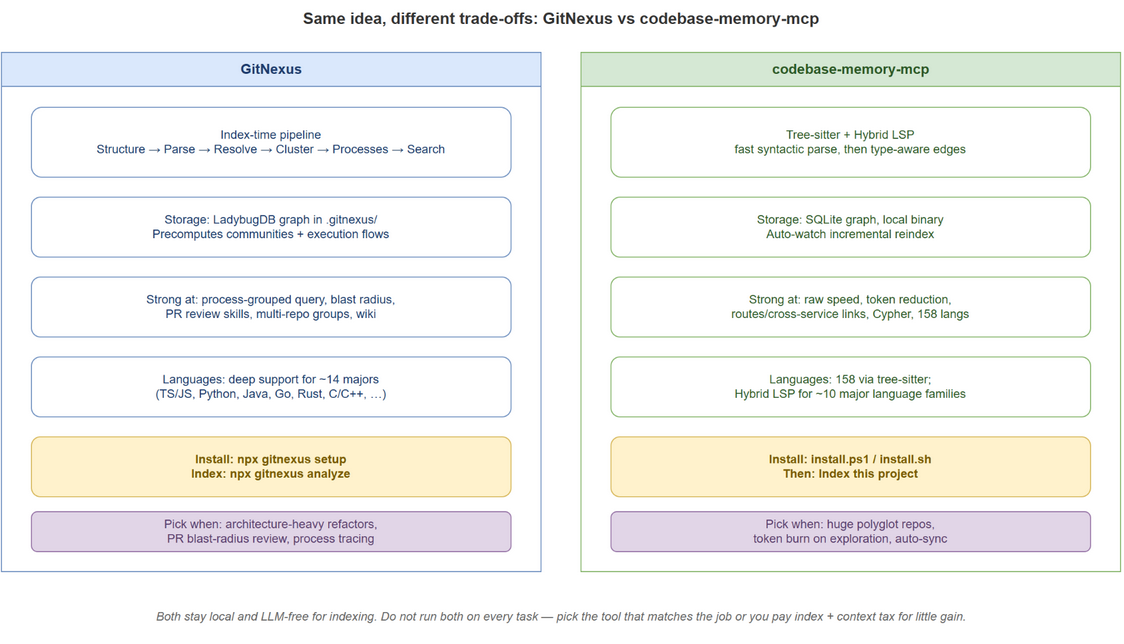
GitNexus and codebase-memory-mcp use similar concepts and still differ in important ways. Both index locally. Both avoid sending your source to a vendor LLM just to build the graph. Both expose graph tools over MCP so Cursor, Claude Code, Codex, and others can ask structural questions instead of guessing.
GitNexus: precompute structure so one tool call returns architecture
GitNexus precomputes structure at index time, clustering, process tracing, scoring, so tools can return complete context in one call. The pitch from the project is blunt and accurate: give Cursor, Claude Code, Antigravity, Codex, and friends a deep architectural view so they stop missing dependencies, breaking call chains, and shipping blind edits.
It does not use an LLM to build the graph. Indexing stays local. It also ships a web UI so you can visualize the graph instead of trusting it as a black box.
How GitNexus works
GitNexus builds the graph through a multi phase pipeline. At index time it parses the repo with Tree-sitter, resolves imports, calls, and heritage across files, then clusters symbols and traces execution flows into a local LadybugDB graph under .gitnexus/. Communities, processes, and search indexes are already built before the agent asks, so one tool call can return architecture instead of rediscovering it mid session.
Useful GitNexus agent skills
- Exploring: navigate unfamiliar code using the knowledge graph
- Debugging: trace bugs through call chains
- Impact Analysis: analyze blast radius before changes
- Refactoring: plan safe refactors with dependency mapping
- Review (
/gitnexus-review): graph backed review of a PR, branch, range, or local diff, with taint pass and per domain expert lenses
Quick GitNexus setup
# one time editor MCP + skills
npx gitnexus setup

# from each repo root
npx gitnexus analyze
For Cursor specifically, gitnexus setup writes ~/.cursor/mcp.json and installs skills under ~/.cursor/skills/. After analyze, ask the agent to read gitnexus://repo/{name}/context before structural work, and re run gitnexus analyze when the index is stale.
Manual Cursor MCP fallback:
{
  "mcpServers": {
    "gitnexus": {
      "command": "npx",
      "args": ["-y", "gitnexus@latest", "mcp"]
    }
  }
}
Language depth is concentrated on the majors teams actually ship in: TypeScript/JavaScript, Python, Java, Kotlin, C#, Go, Rust, PHP, Ruby, Swift, C/C++, Dart, with richer resolution on some languages than others. If you need process tracing and PR blast radius workflows, this is usually the sharper tool.
codebase-memory-mcp: speed, breadth, and token compression
codebase-memory-mcp is a structural analysis MCP server that indexes a repo into a persistent local knowledge graph of functions, classes, call chains, HTTP routes, and cross service links. There is no embedded LLM and no API key. Your coding agent remains the intelligence layer. The MCP server builds and serves the graph.
Its published numbers are the reason I keep it around for exploration heavy work. Across five structural questions, file by file search burned about 412,000 tokens. The same questions answered from the graph used about 3,400 tokens, roughly 120x fewer tokens. Their preprint, Codebase Memory: Tree Sitter Based Knowledge Graphs for LLM Code Exploration via MCP, reports evaluation across 31 real repos with 83% answer quality, 10x fewer tokens, and 2.1x fewer tool calls versus file by file exploration.
Speed is the other differentiator. Average repos index in milliseconds. They claim a full Linux kernel index (28M LOC, 75K files) in about 3 minutes, with structural queries in under a millisecond.
How codebase-memory-mcp works
At a high level:
- Parse every supported file with Tree-sitter (158 languages compiled into one static C binary)
- Hybrid LSP pass on major language families to refine
CALLS and type aware edges beyond pure syntax
- Persist nodes and edges in a local SQLite backed graph
- Serve about 15 MCP tools: search, trace, architecture, impact, Cypher, dead code, route and cross service linking, and more
- Watch for changes and incrementally reindex instead of forcing a full rebuild every session
Optional UI build serves a 3D graph at localhost:9749. Semantic search is local too. Embeddings are bundled, not a cloud call.
Quick codebase-memory-mcp setup
Windows (PowerShell):
Invoke-WebRequest -Uri https://raw.githubusercontent.com/DeusData/codebase-memory-mcp/main/install.ps1 -OutFile install.ps1
Unblock-File .\install.ps1
.\install.ps1
macOS / Linux:
curl -fsSL https://raw.githubusercontent.com/DeusData/codebase-memory-mcp/main/install.sh | bash
# optional UI:
# curl -fsSL https://raw.githubusercontent.com/DeusData/codebase-memory-mcp/main/install.sh | bash -s -- --ui
Restart Cursor, Claude Code, or Codex. Then say: Index this project.
Useful toggles after install:
codebase-memory-mcp config set auto_index true
codebase-memory-mcp update
If the installer did not wire Cursor, point MCP at the installed binary path and restart the agent.
Main differences that actually matter
| Dimension | GitNexus | codebase-memory-mcp |
| --- | --- | --- |
| Core bet | Precompute communities and execution processes for agent skills | Extreme index and query speed plus token compression |
| Graph store | LadybugDB under .gitnexus/ | SQLite backed local graph |
| Language strategy | Deep resolution on about 14 major languages | 158 languages via Tree-sitter; Hybrid LSP on about 10 families |
| Freshness model | Explicit analyze / stale index prompts | Background watcher plus optional auto_index |
| Best workflows | Impact analysis, process tracing, PR review skills, multi repo groups | Architecture overview, route and cross service maps, cheap exploration loops |
| Runtime shape | Node/npm CLI + MCP | Single static C binary + MCP |
| Visualization | Web UI / bridge mode | Optional 3D UI on :9749 |
Same category, different default instincts. GitNexus feels like an architecture copilot that already did the clustering homework. codebase-memory-mcp feels like a high speed structural index that keeps exploration from torching your token budget.
When to use which, and when to use neither
Even though these tools can cut tokens, speed up structural answers, and improve impact analysis, they are overkill when you already know the file and the task is local. If you are prompting against a specific path with enough context, plain semantic search is usually enough.
I have also noticed that adding a rule to invoke GitNexus, or any code graph MCP, on every prompt slows the harness down. The agent burns turns on graph tools when a targeted search would have been fine. Use the graph for refactors, blast radius, unfamiliar services, and PR dependency review. Prefer GitNexus for process tracing and impact. Prefer codebase-memory-mcp for huge polyglot repos and token heavy exploration. Skip both for leaf edits.
What to watch next
Agent harnesses keep getting better at multi step search, so “always use a graph” will keep looking less automatic. Differentiation will sit in language fidelity, index freshness, and whether the tool precomputes the workflows you actually run: impact, detect changes, architecture, Cypher. Index one hard repo, ask a blast radius question before editing, and compare that answer to semantic search alone.
Sources