Improving Your AI Coding Agent Without switching the Model or touching the harness
Microsoft’s SkillOpt shows how AI coding agents can improve through self-evolving skills without retraining the model or rebuilding the agent harness.

I have been playing with AI agents for a while now. Most of them look great in demos, but once you try to run them for real work, the story changes. I wanted something simple in concept: an AI agent that could run on my own server, talk to me on WhatsApp, use tools, remember things, do research, and eventually help with emails and reminders. That is how I ended up trying Hermes Agent from Nous Research.
This post is not a benchmark. It is not a sponsored review. It is my real setup story after spending time getting Hermes running on AWS and comparing the experience with tools like OpenClaw.
Hermes Agent is an open source AI agent built by Nous Research. The project describes it as a self-improving AI agent with tools, memory, skills, terminal access, messaging gateways, and support for multiple model providers. In simple words, Hermes is not just another chat window. A normal LLM chat is a one shot loop you ask, the model answers, done. Hermes sits closer to an operator:
My goal was not to build a toy demo. I wanted to see if I could run Hermes as a small personal assistant that could eventually help with:
I decided to run Hermes on a small EC2 instance. The final shape:
t3.small, Amazon Linux 2023ssm-user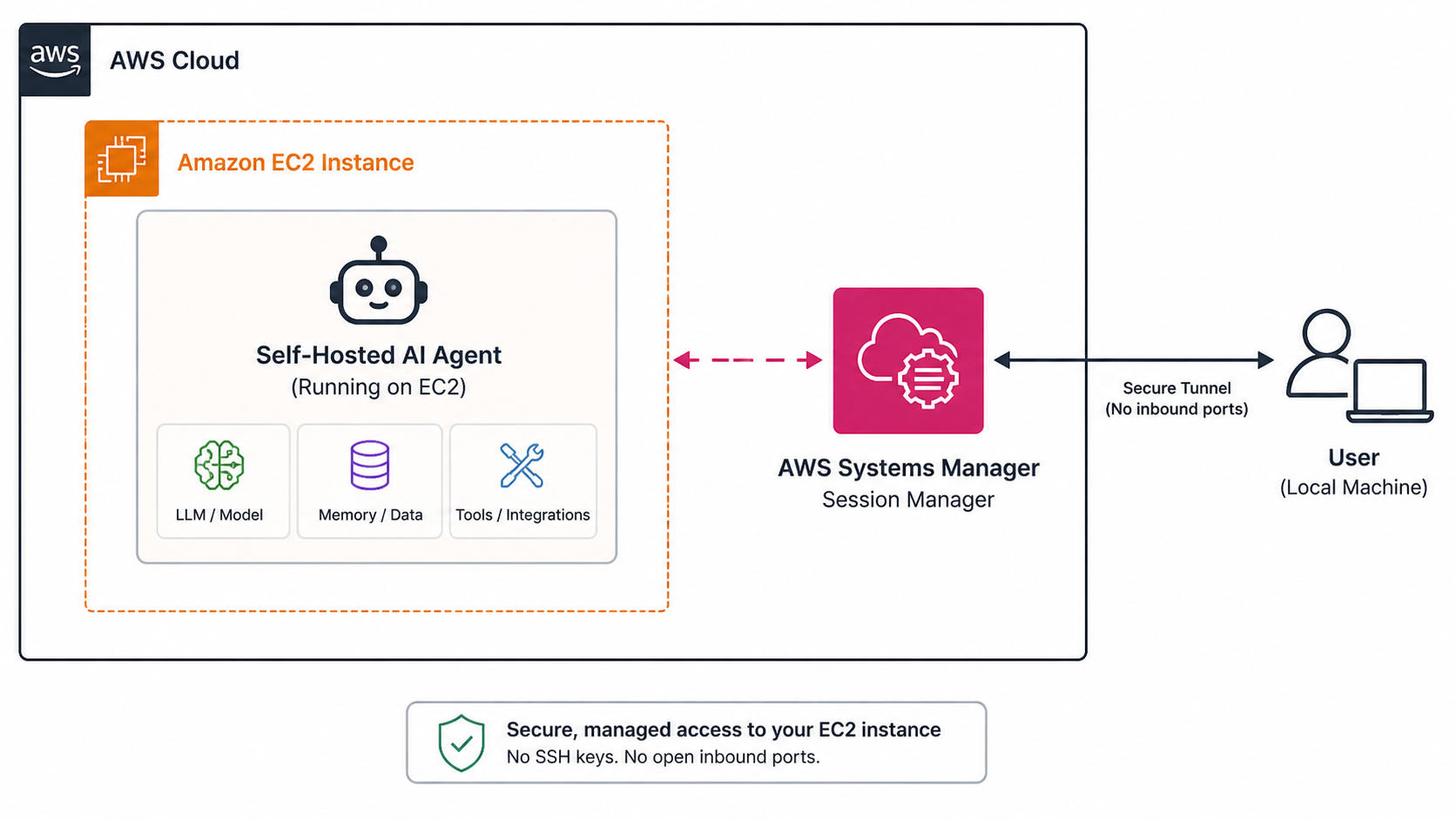 The important part is the security setup. The instance has a public IP, but I did not open SSH to the internet. The security group has zero inbound rules. I connect using AWS SSM Session Manager.
That means the server can reach the internet for model APIs and WhatsApp, but random bots cannot connect to it.
The important part is the security setup. The instance has a public IP, but I did not open SSH to the internet. The security group has zero inbound rules. I connect using AWS SSM Session Manager.
That means the server can reach the internet for model APIs and WhatsApp, but random bots cannot connect to it.I looked at Lambda and ECS Fargate first. Lambda was not a good fit because Hermes is a long running agent. It is not just a short function that runs and exits. Fargate needs a lot of extra pieces like ECR, ECS cluster, task definition, CloudWatch logs, Secrets Manager, EFS for persistence, plus more IAM setup. For one personal agent, that felt like too much. EC2 was easier. I can SSM into the box, install Hermes, see the files, debug issues, and keep the agent running. For this use case, EC2 is the right tradeoff.
The install itself was not bad, but it was not fully smooth either. Hermes installed using the official script, and the setup wizard walked me through provider, model, tools, messaging, and gateway options.
I chose Claude Sonnet as the main model. The reasoning was simple: Opus is stronger but expensive, Haiku is cheaper but weaker, and Sonnet is the daily driver sweet spot for agent work.
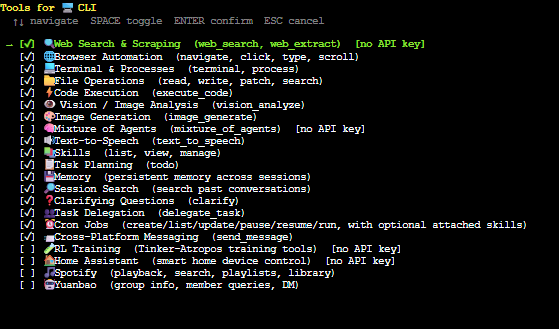
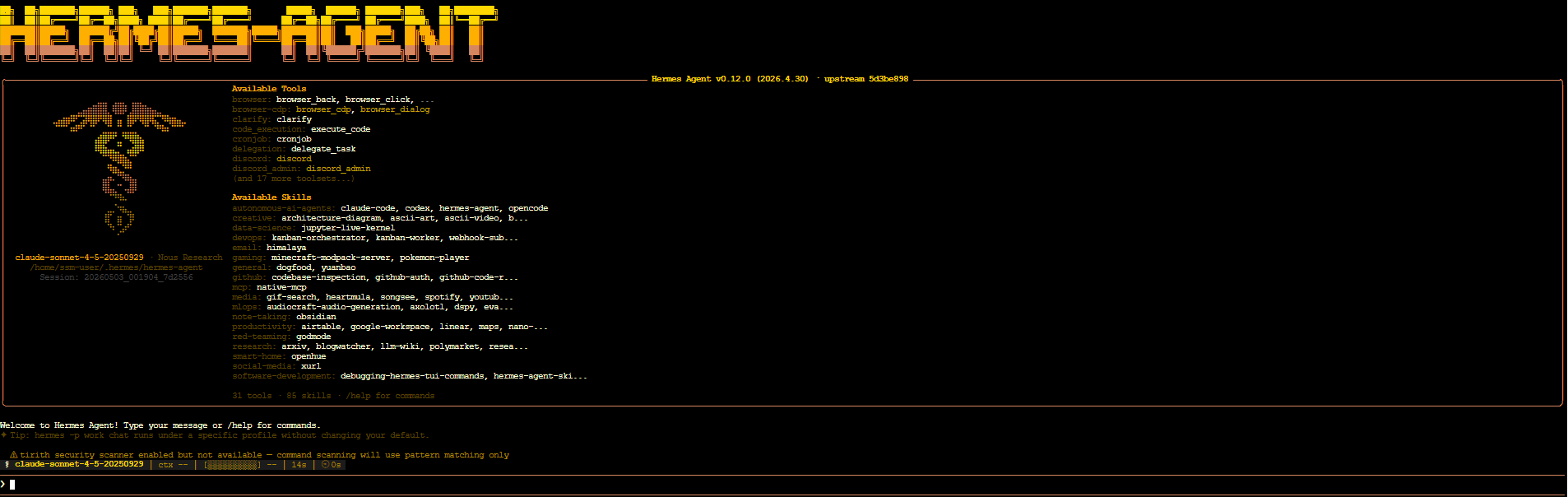
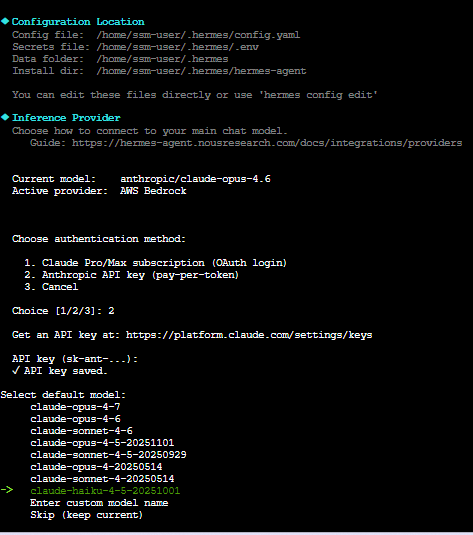 I also configured FAL.ai for image generation, Microsoft Edge TTS, web search, browser automation, terminal tools, file tools, memory, task planning, and the WhatsApp gateway. Once setup completed, Hermes printed a clean list of available tools.
This is where I think real reviews matter. The setup was not impossible, but there were rough edges.
On Amazon Linux 2023, some packages were not available by default. ripgrep and ffmpeg were not as simple as one install command, I had to work around them.
Path issues bit next. Hermes was installed under my user path, so this worked:
hermes gateway
But this did not:

sudo hermes gateway
Root did not know where the hermes binary was. The fix was the full path:

sudo /home/ssm-user/.local/bin/hermes gateway
The biggest issue was the WhatsApp gateway. Pairing worked, but the session got invalidated a few times. I saw errors like logged out, device removed, and failed to connect. The fix was to delete the WhatsApp session folder, re-pair the device, and make sure the allowed user phone number included the country code.
This is not a Hermes-only problem. WhatsApp Web bridges are always a little fragile because they depend on WhatsApp's web session behavior.
Still, this is an area where Hermes could use clearer guidance.
Once it worked, it was pretty cool. I could message myself on WhatsApp and Hermes would reply.
That may sound simple, but this is the part that made Hermes feel different from a normal LLM chat. I did not have to open a new AI app — I could just message the agent from my phone.
For me, that is the real value. If I can message Hermes with things like:
"Remind me tomorrow to follow up." "Draft a reply to this email." "Check what this error means." then it stops being a chatbot and starts being a lightweight personal operator.
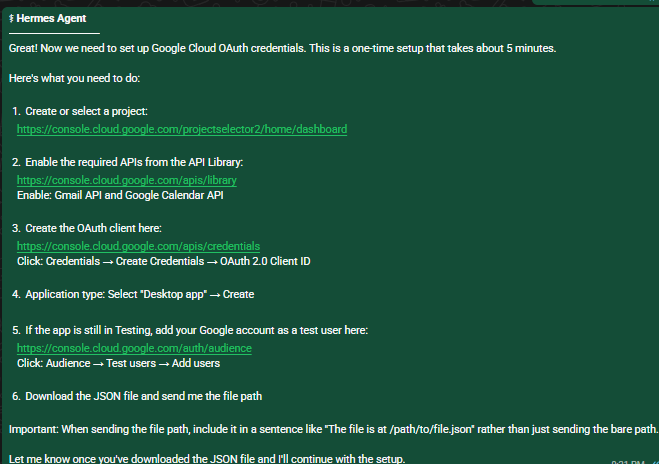
Email integration is where this gets interesting I have not fully connected my main email yet, and I do not think anyone should start that way.
My plan is to use a dedicated email account first, something like a separate Gmail or pradeep.assistant@gmail.com. Then I can forward selected emails to Hermes or CC the assistant when I want it to help. That feels safer than handing it the keys to my primary inbox on day one.
The workflow I want is simple:
Email comes in. Hermes reads it. Hermes summarizes it. Hermes pings me if a follow-up is needed. Hermes drafts a reply. I approve before anything is sent. That last step matters. I do not want an agent sending emails without approval. At least not yet.
I have also been using OpenClaw. My view is not based on public information but based on using it for few months now.
While Hermes is a Self improving AI agent with learning loop, memory, skill creation, subagents, and research/training hooks.
OpenClaw feels more like a broad personal AI assistant platform, local first Gateway, one control plane for sessions, channels, tools, events, inboxes, companion apps, and devices.
There have also been public security discussions around OpenClaw. TechRadar reported on a serious issue called "ClawJacked," which was later patched. It shows how careful you need to be with agent software that has access to local systems, browsers, files, and credentials.
That is one reason I liked the Hermes setup on EC2 with no inbound ports. It felt more controlled.
My one-line take:
OpenClaw: better if you want a broader, packaged assistant experience. Hermes: better if you are technical and want a self-hosted, tool-heavy agent you control. For my use case, Hermes is more interesting.
Hermes is powerful, but it is not yet a plug-and-play consumer assistant. The main rough edges:
Setup assumes comfort with Linux. WhatsApp bridge can be fragile. Service/systemd setup can be confusing. Some package dependencies vary by OS. Error messages are useful but still require debugging. Email should be configured carefully and behind a guardrail. This is not something I would hand to a non-technical user and say "just run this." But for engineers, builders, and power users, it is very usable.
If you run an agent like this, treat it seriously. This is not just a chatbot, it can use tools, run commands, hit APIs, and eventually read email.
The more powerful the agent, the more careful you have to be with the blast radius. Treat it like a service account with shell.
My basic rules:
Hermes Agent is not perfect, but it is one of the more interesting agent out there. It feels like something built for people who want control.
If you want a secure, self improving AI operator that can run on your own server, use tools, connect to messaging, and grow into your workflow, Hermes is worth trying.
Subscribe wiring is coming soon. For now, follow the daily news feed or connect on LinkedIn for updates.
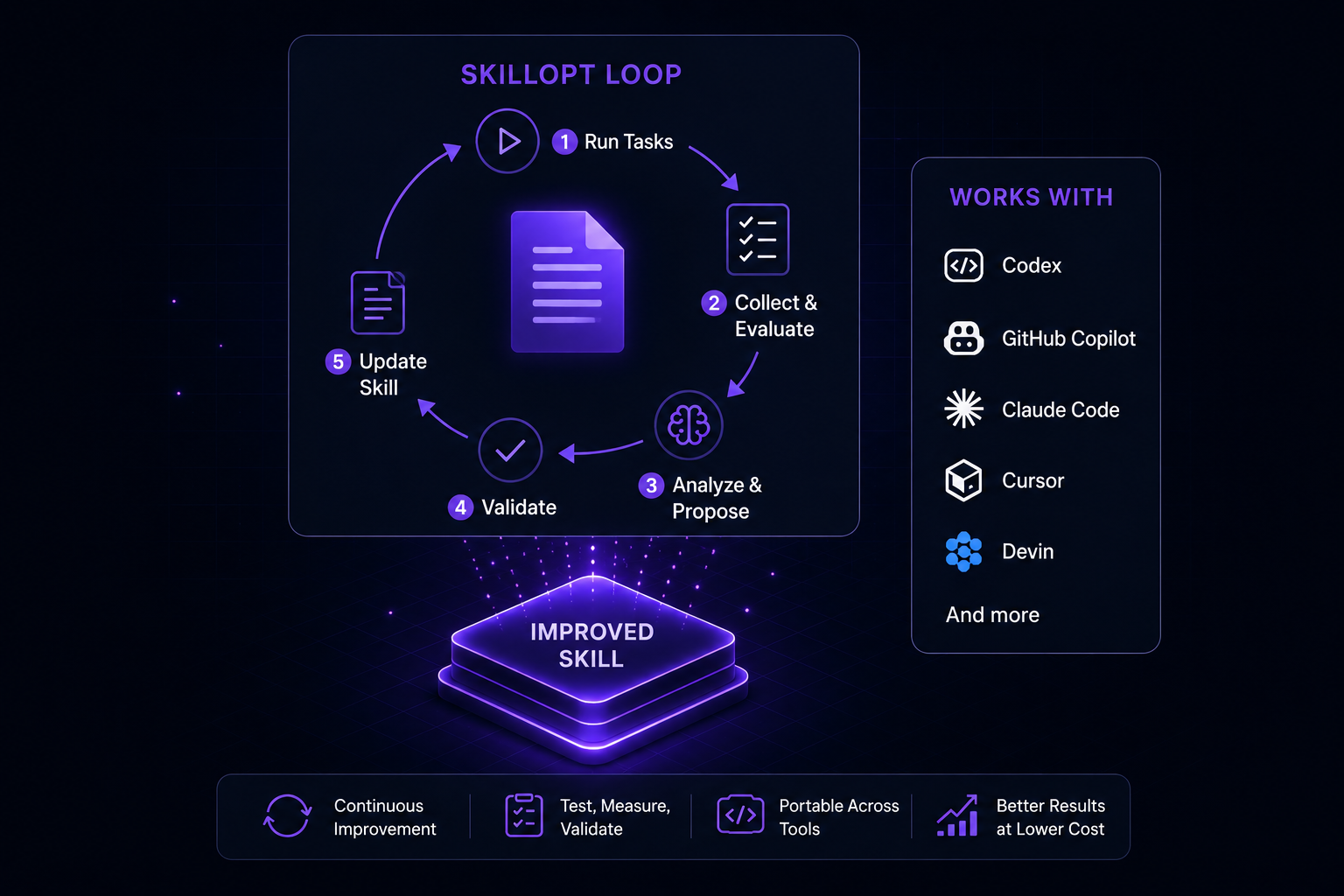
Microsoft’s SkillOpt shows how AI coding agents can improve through self-evolving skills without retraining the model or rebuilding the agent harness.

Ashton Kutcher is departing Sound Ventures, the firm he co-founded 11 years ago, to launch a new early-stage venture capital fund with former NFX partner Morgan Beller.

Anthropic has released Claude Sonnet 5 with a 1 million token context window while securing US Department of Commerce clearance to bring back its sidelined Fable 5 and Mythos 5 models.