Agentic Security: A Billion-Dollar Challenge for Startups
AI-driven vulnerabilities are reshaping the cybersecurity landscape, creating a billion-dollar opportunity for startups.
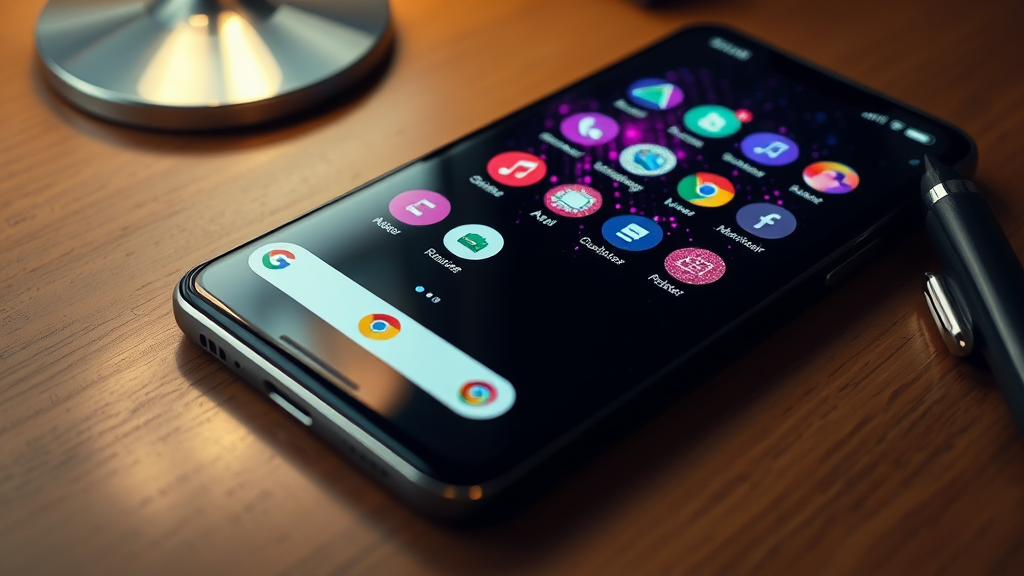
Google released a set of reflective, disco-ball-themed custom app icons for Pixel smartphones on Friday, turning a viral design trend into an official software feature. Sameer Samat, the president of the Android ecosystem, announced the rollout on social media, showcasing a Pixel home screen covered in the glittery, tiled shortcuts that are generated using the device's built-in styling engine.

The update expands the Pixel's native customization capabilities beyond simple color-matching. The new aesthetic option is available immediately to Pixel users through the standard wallpaper and style settings menu, capitalizing on recent social media discussions surrounding retro-themed user interfaces.
The design choice follows a broader wave of nostalgic, metallic interface aesthetics online. Spotify recently released a temporary disco-ball app icon to celebrate its 20th anniversary, which drew mixed reactions from users. Google's design team adopted the concept after Samat polled users on social media earlier in the week about bringing a similar icon pack to Android.
On Friday, Samat confirmed the release on X, acknowledging the polarizing nature of the design.
"Your wish is our command. Disco icons available on Pixel as of today … Are y’all sure you still want this?"
The disco-ball icons utilize the Pixel's custom icons feature, which Google introduced during the March Pixel Drop. The system applies generative styling templates across the entire application library to ensure third-party shortcuts match the active theme.
Prior to the March update, Android's Material You design framework only allowed users to tint icons to match the dominant colors of their active wallpaper. The template system allows for more complex textures, gradients, and thematic overlays, such as the reflective tiles used in the new disco release.
The technical implementation differs from older Android customization methods in several ways:
Pixel owners can access the new theme through the standard "Wallpaper & style" settings menu. The system applies the reflective, textured pattern across both native Google applications and supported third-party software shortcuts.
The feature is currently rolling out to compatible Pixel devices. Google has not indicated whether the disco theme is a permanent addition to the customization suite or a limited-time promotional release.
Initial social media response has been divided between appreciation for the kitsch aesthetic and criticism of its legibility. Some users noted that the highly reflective, uniform texture makes it difficult to quickly distinguish between different application shortcuts on a crowded home screen.
Google has positioned the release as an optional, user-driven customization choice. The rapid deployment demonstrates Google's ability to utilize the modular design of its modern Pixel customization engine to respond to social media trends.
Subscribe wiring is coming soon. For now, follow the daily news feed or connect on LinkedIn for updates.

AI-driven vulnerabilities are reshaping the cybersecurity landscape, creating a billion-dollar opportunity for startups.

Stripe's acquisition of OpenRouter aims to integrate AI model routing with its payment processing capabilities.

A threat actor is selling data allegedly stolen from Azure tenants of Fortune 500 companies.